Attendance that can’t be faked. Payroll that matches the day.
Workforce & Payroll is for service operators whose monthly cost is labour — field technicians, cleaners, supervisors, drivers. It replaces the paper attendance register, the Excel salary sheet, and the monthly WhatsApp round-up about “did Rajesh come to work on the 14th.”
Six capabilities that make the paper register obsolete.
Every check-in carries a GPS location with a reverse-geocoded address — “15 Model Colony, Pune”, not latitude-longitude. Supervisors can filter to check-ins that happened more than 200 metres from the assigned site. The paper register stops being your source of truth.
Field staff clock in and out with a selfie. The system detects the face, scores it against the employee’s stored profile photo, and returns Match / Mismatch / First-time enrolment / No clear face. A supervisor dashboard shows every photo with the result; supervisors approve or reject (with a quick-reason picker). Rejected photos are excluded from the attendance report. Runs entirely on-premises — no cloud face-recognition costs. The ₹12,000/year addon pays for itself on one 20-person crew where buddy-punching is real money.
Casual, Sick, Earned, Maternity, Paternity, Marriage — all configured out of the box with the leave-accrual and balance-forward logic Indian service businesses actually use. Employees apply through the portal; managers approve in one click; payroll reflects automatically.
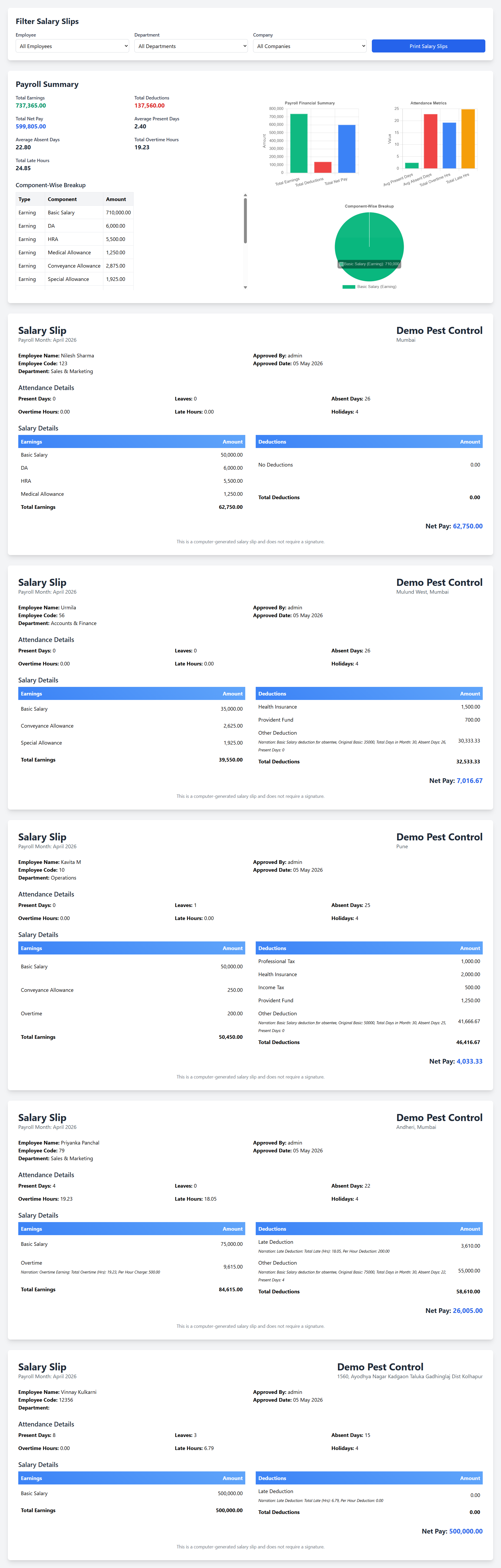
Payroll is computed from the month’s approved attendance — no “paid for twenty-six days but was only here for twenty-two” surprises. A monthly approval step lets the manager review anomalies (leaves, unpaid absences, overtime) before the salary slip generates. The paper salary sheet stops existing.
Not every employee earns overtime at the same rate. Not every role deducts for lateness the same way. Upgear supports per-employee rate configuration with effective-date versioning, so a mid-year policy change doesn’t retroactively rewrite history.
New-hire bulk import from Excel is built in. Designation, shift, salary components, enrolment photo — one upload. Onboarding a 20-person crew can be done before lunch. For individual new joiners, the form is short: name, phone, designation, shift start/end, salary components.
Replaces the per-employee “work start time / work end time” pair with named shifts (Standard 6-day Mon-Sat 9–6, Standard 5-day Mon-Fri 9–6 — both seeded). Holidays move from a manual integer to a dedicated master scoped per Company / Branch. Once a shift is assigned, payroll math becomes working-day-aware; leave balance deduction uses authoritative working-day counts.
Replaces the multi-step grid → +New → fill 6 fields → save → re-open → click Run Payroll → close → click Approve loop with a single screen. Pick Month + Company + Department; the cockpit shows employee count, working days, holidays, approved leaves, plus pre-flight readiness checks (employees without a shift, pending leaves that would inflate absences, missing salary components). Each warning links to the page that fixes it. Run / Approve / Lock are inline.
Five-step guided setup for tenants who run payroll. Pick a country preset (India / UK / US / AU / UAE) to bulk-load holidays. Bulk-create the salary components RunPayroll needs. Self-detects what’s already configured and skips finished steps. Re-runnable safely.
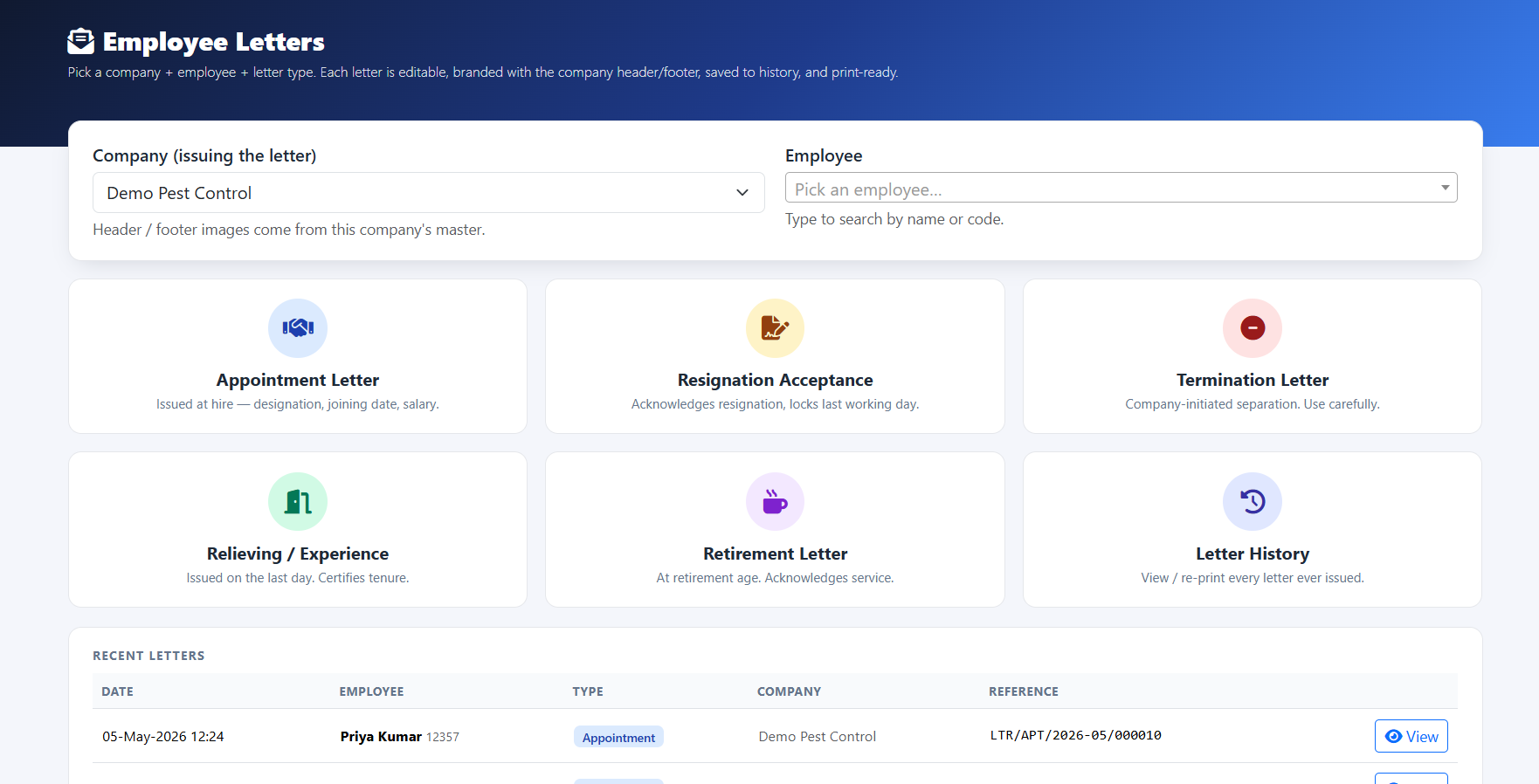
Issue named letters to employees (Appointment / Resignation Acceptance / Termination / Relieving / Retirement) with letterhead from the issuing company. Every issuance is audit-logged. Letter content regenerates from live data each print, so a renamed company or a corrected employee detail flows to all future re-prints. A custom-body field is available for letters HR wants to preserve verbatim.
Approved monthly payrolls can be Locked. Locked payrolls can’t be silently re-run; auditors are satisfied no further edits land after sign-off.
From the day's selfie to the month-end salary slip.
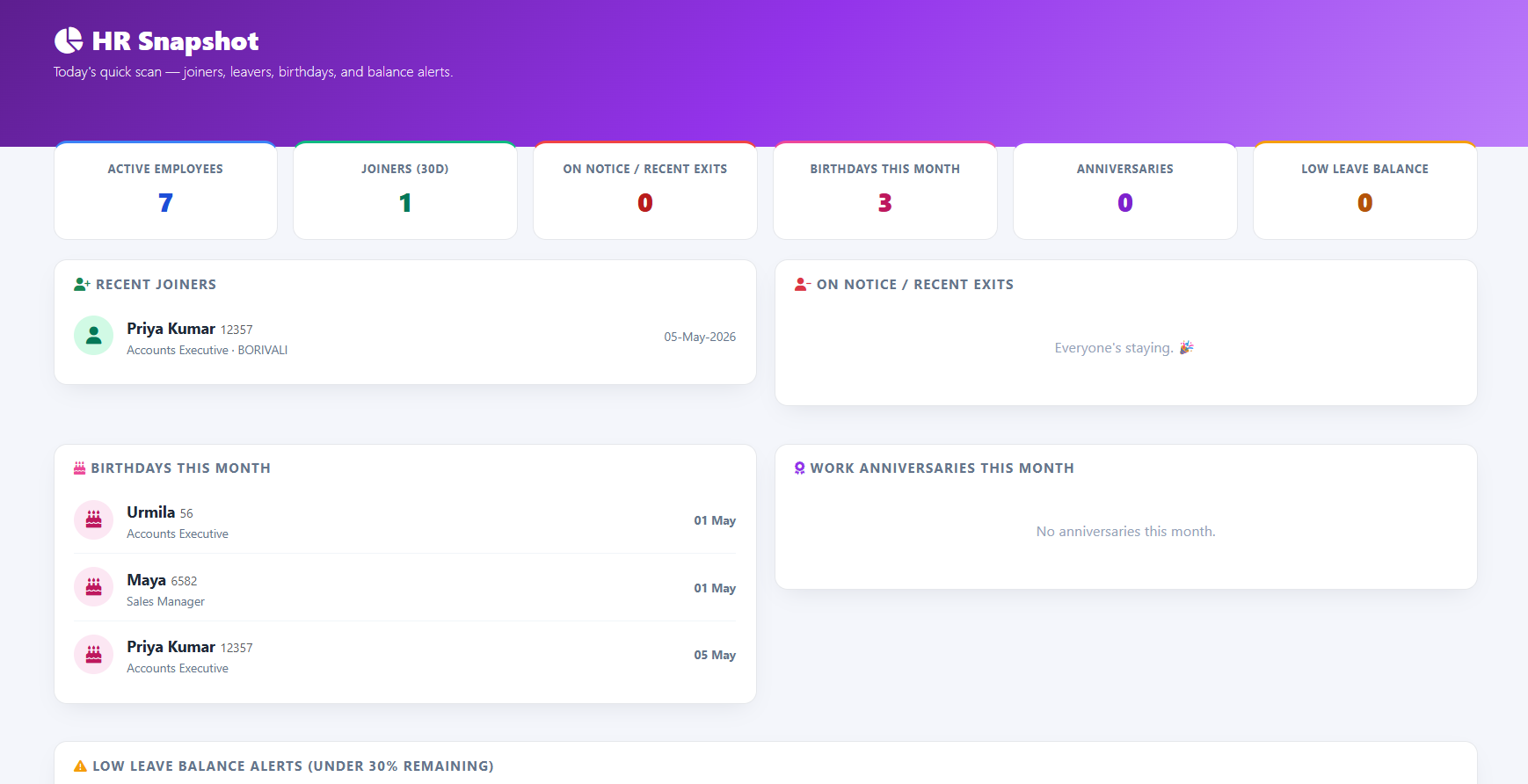
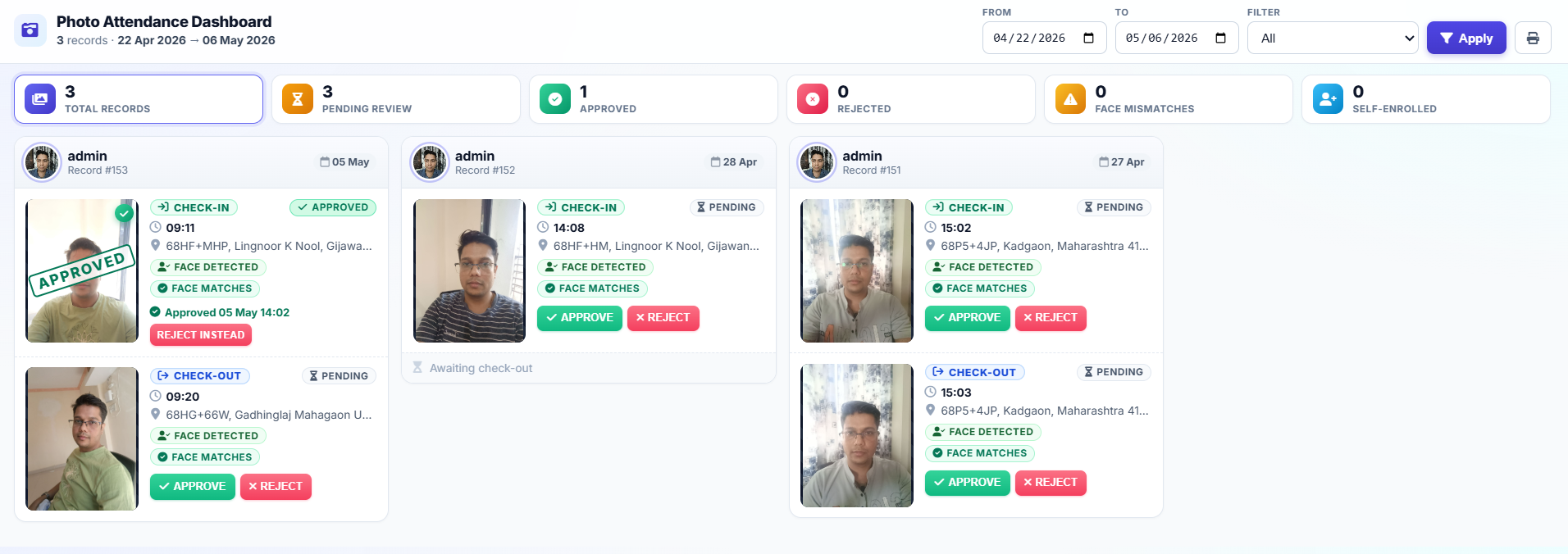
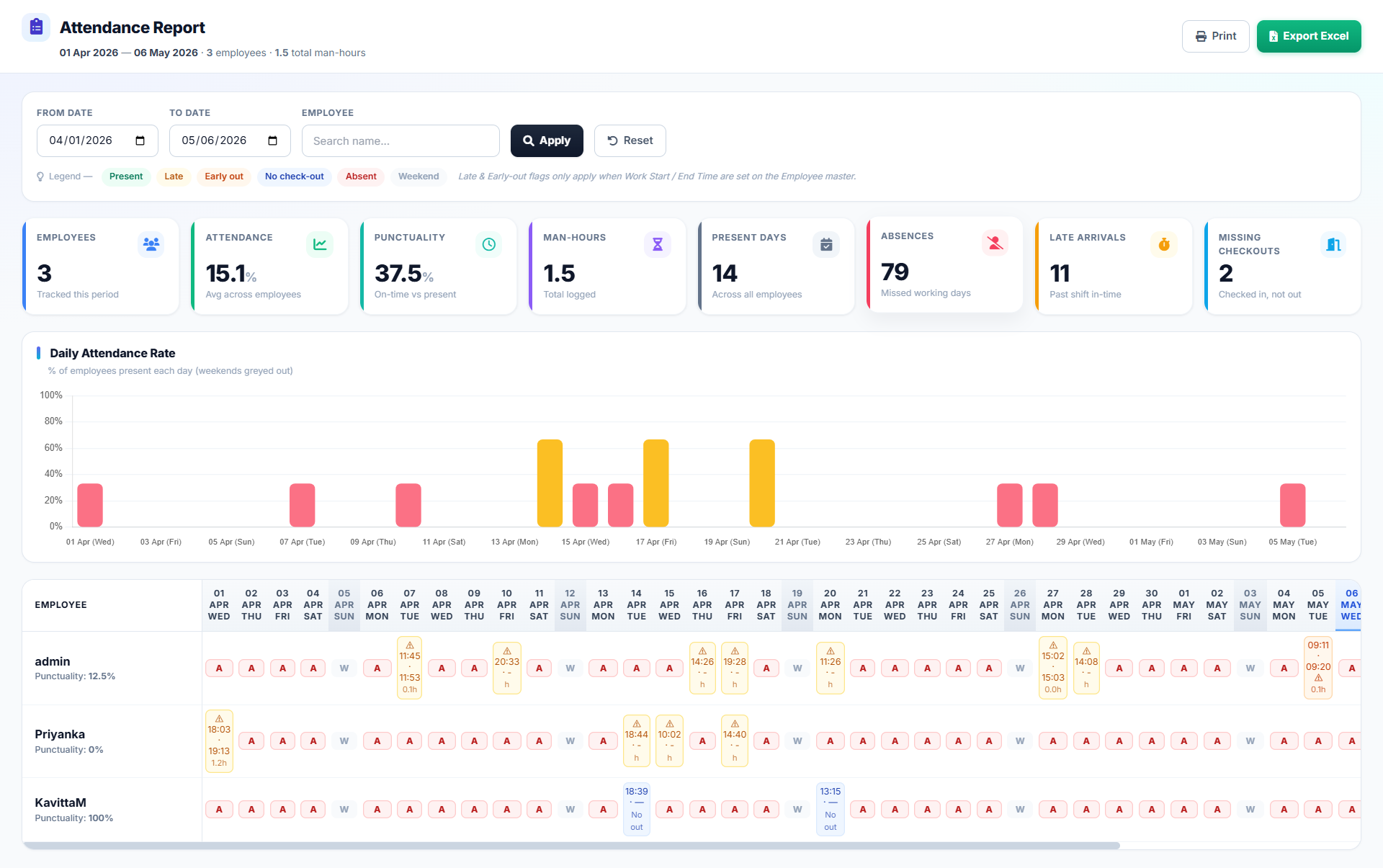
Approved monthly payroll lands on a single screen — pay components, deductions, salary slip layout. Lock-after-approve closes the loop. The screenshot below is the full-resolution version; click to expand.
Month-end payroll, without the three-person investigation.
It’s the 28th. Your ops lead opens the Attendance Dashboard. Every check-in for the month, every leave, every flagged mismatch is on one screen. The seven photos that had face-match issues were reviewed the day they happened — six approved, one rejected because it was a buddy-punch attempt. Payroll will exclude that one.
At 4 pm on the 30th, payroll processes. Attendance-proportionate salary calculates for each employee. Overtime rates apply per individual. Late deductions apply per the per-employee policy. Salary slip PDFs generate with your letterhead, distributed to employees on WhatsApp that evening.
The 1st of next month happens without a single argument. No one asks “why is my salary short” because each employee can open their own attendance record and see exactly which days counted. The eight WhatsApp threads that used to clutter every month-end are gone. The paper register is a curiosity on your ops lead’s desk.
The capability deep-dive that lives inside this pillar.
Face Attendance is the addon that turns this pillar from “better attendance tracking” into “buddy-punching ends” — the clearest ROI case Upgear has.
Three recurring workarounds, one pillar.
Ops managers run it daily; owners see the labour-cost effect.
Cleaning feels this sharpest; pest control and service businesses close behind.
Multi-site shift-based cleaning is where buddy-punching hits revenue most directly — commercial clients increasingly demand vendor-staff face-verification. Pest control and adjacent service sectors share the shape at smaller scale.
What ops leads ask about this pillar.
See your own workforce and payroll running on Upgear in 30 minutes.
Founder-led demo. Bring your current attendance register, last month's salary sheet, and one argument about who did or didn't come to work on a specific day. We'll reconstruct the month-end workflow in Upgear on the call.