The field runs on Upgear Mitra.
Technicians start the day, complete visits with photos and signature, collect payment via UPI QR, and end the day — entirely from the app. The office sees every step in real time.
iOS app on the roadmap.
Office Upgear runs the business. Upgear Mitra runs the field.
Office staff — owners, ops managers, accountants — work in Upgear on the desktop. Sales pipelines, dispatch decisions, GST e-invoicing, payroll, dashboards. That’s one side of the operating system.
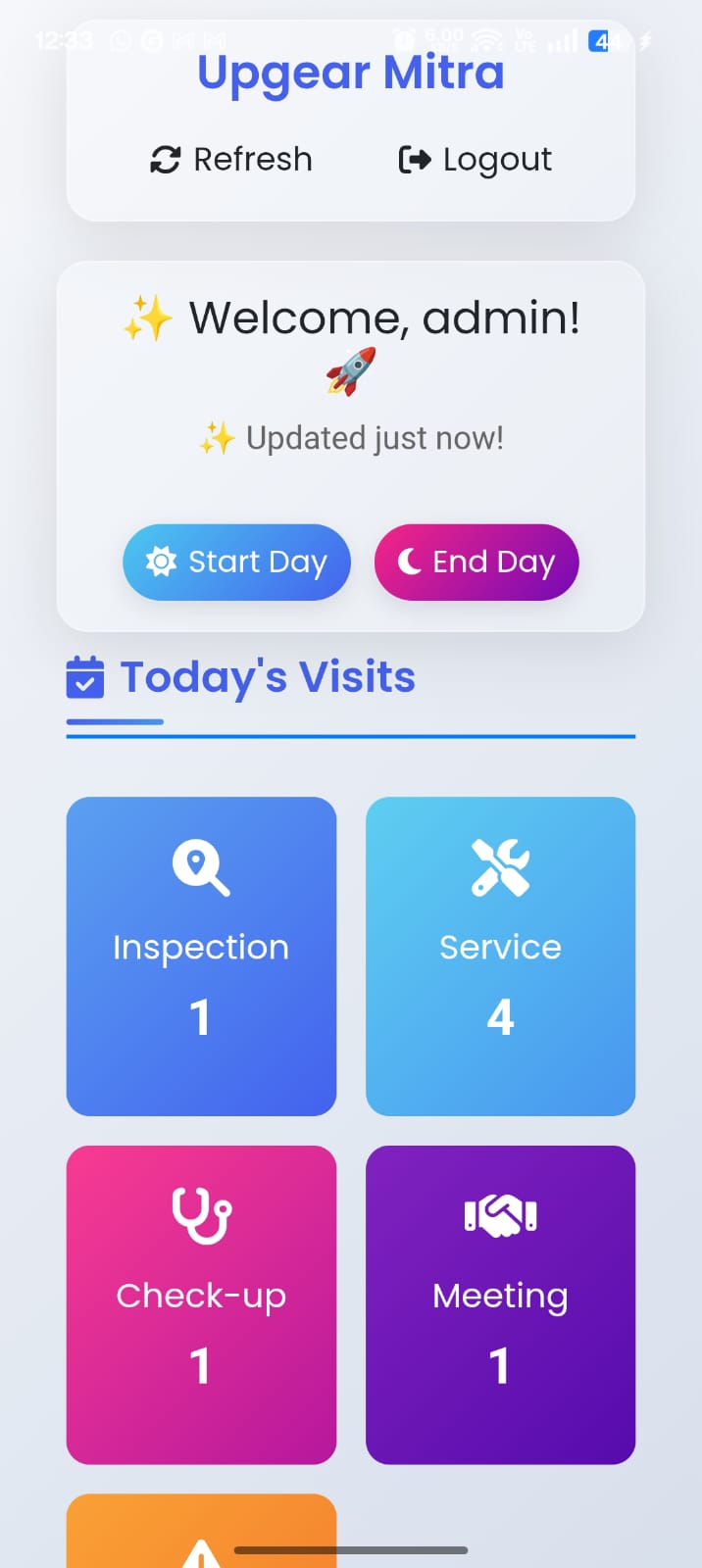
Technicians work in Upgear Mitra on Android. Start the day with GPS-stamped attendance, see today’s visits laid out by category, complete each visit with notes, material consumption, customer signature, photos, and UPI payment collection.
Every action flows back to the office in real time. No daily reconciliation. No “send me the photos by WhatsApp” workflow.
Together they make a complete operating system for a service business — one that reaches from the founder’s 9 AM dashboard to the technician’s 2 PM job in a basement parking-level chiller room.
Attendance is a button, not a register.
Technicians tap Start Day at the depot or first site. GPS-stamped check-in with reverse-geocoded address. Today’s visits load instantly, broken down by category: inspection, service, check-up, meeting, complaint. The count at a glance — how much is on the plate today — is the home screen.
End Day fires at the last visit or back at the depot. Attendance closes; the day’s record is in the office payroll system before the technician gets home.
Every visit is a workflow, not a form.
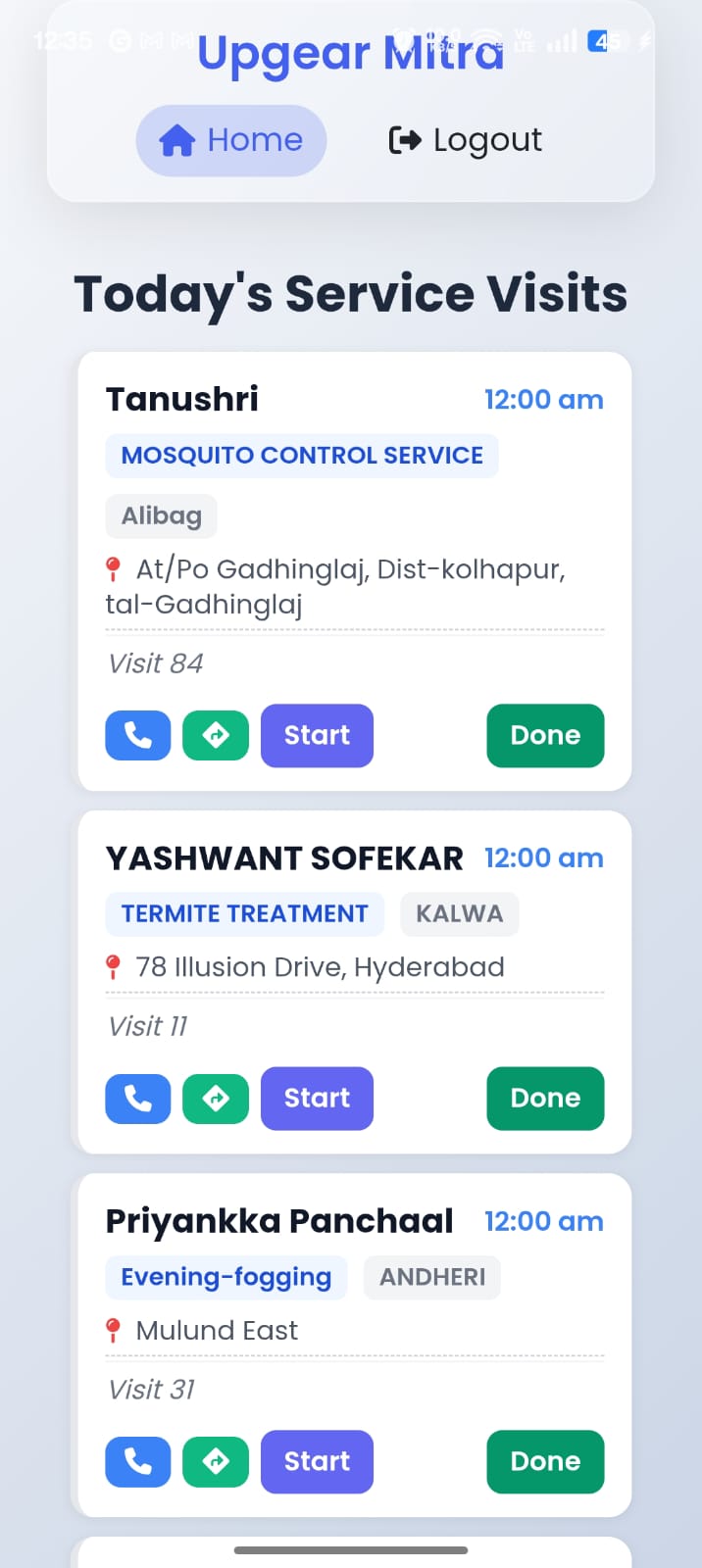
Today’s visits show in cards. Customer name, service type, scheduled time, location pin, visit number in the contract sequence (Visit 11 of a 12-tranche annual contract). Tap to call the customer, tap for directions, tap Start to begin the visit clock.
Done marks the visit complete. The completion isn’t a checkbox — it’s a four-step workflow: report what was done, log what was consumed, capture the customer signature, collect payment if due. Each step takes 30 seconds; together they replace a paper job-card, a WhatsApp photo dump, a phone call to the office, and a follow-up payment chase.
Four steps. Thirty seconds each. Done.
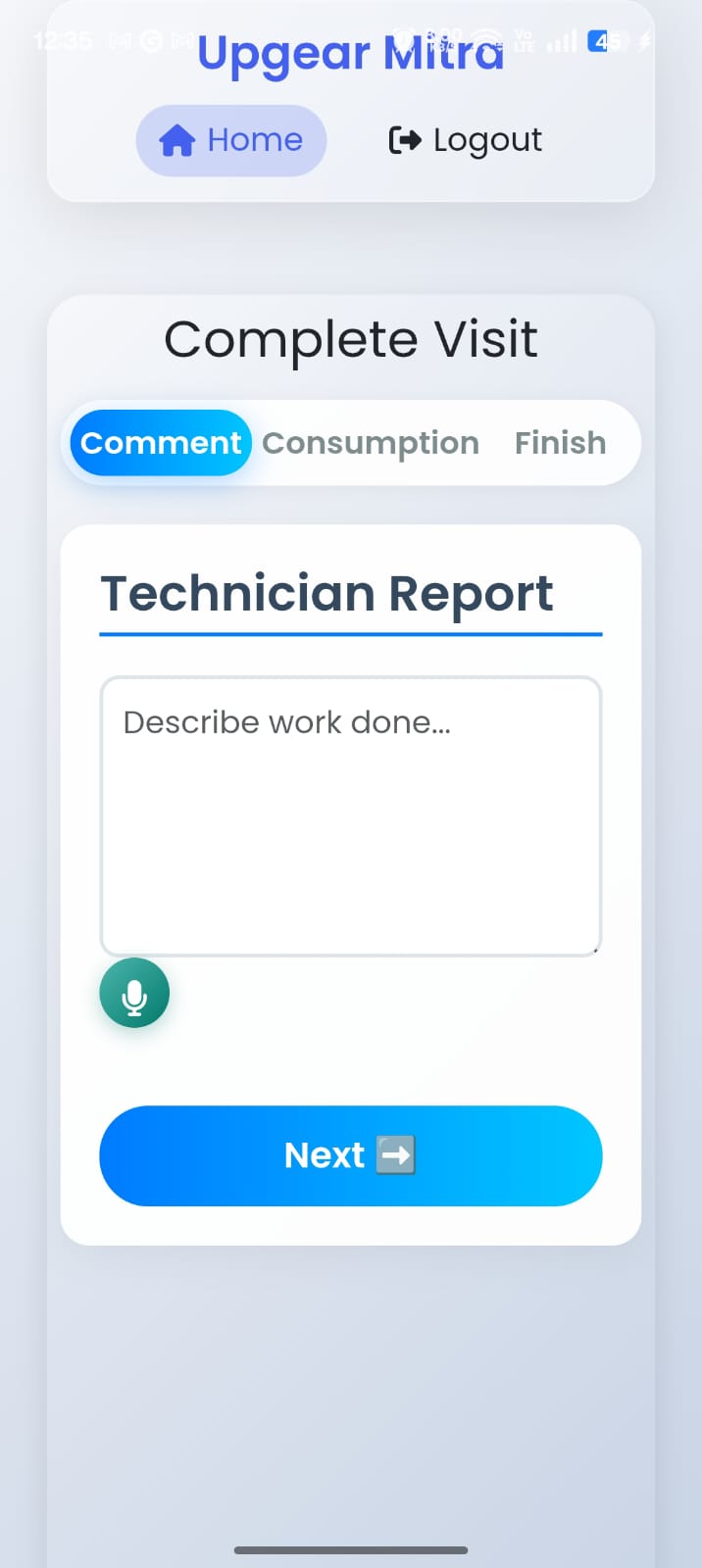
1. Technician notes
Describe the work done. Voice input in Hindi, Marathi, Hinglish, or English — the technician speaks, the report writes itself. The customer file gets the accurate description without the technician needing to type one-thumbed.
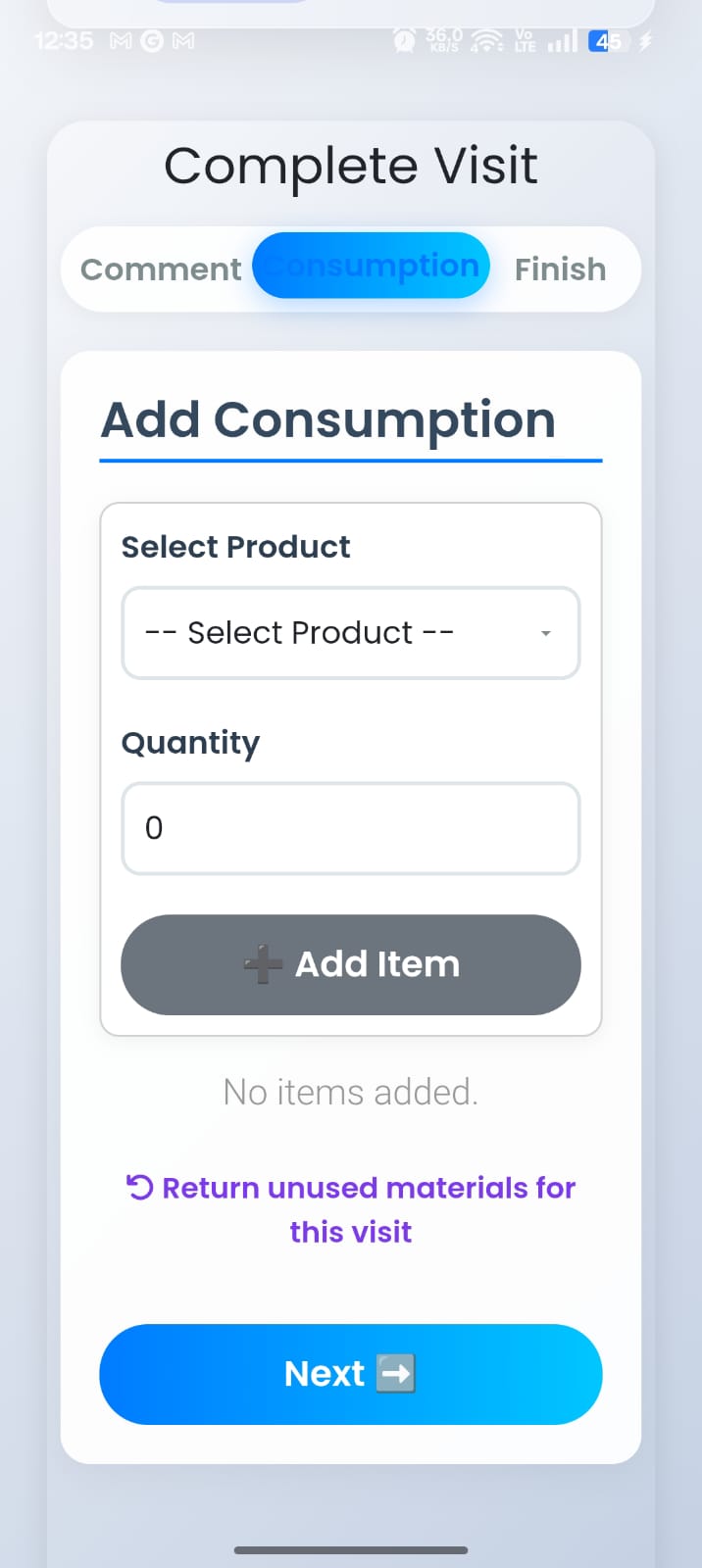
2. Material consumption
Select chemicals or parts used; quantity entered. “Return unused materials” for stock that goes back to the depot. FIFO batch tracking on the back end means the oldest stock moves first; the consumption ties to the visit and to the batch. Inventory stays accurate without the office reconciling slips at month-end.
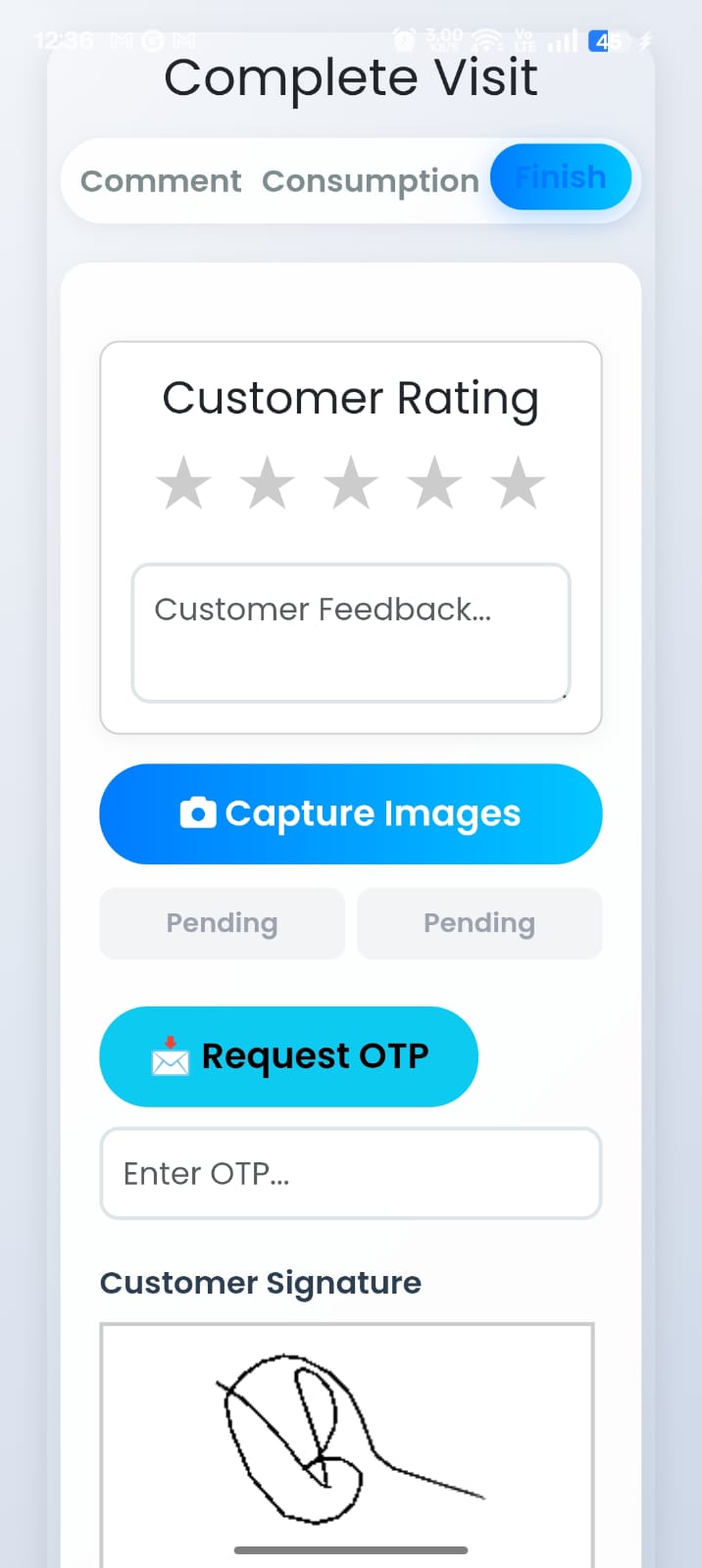
3. Customer rating + signature
Customer rates the visit, leaves optional feedback, signs on the technician’s phone. Site photos captured before and after attach to the visit record. Optional OTP verification — the customer’s phone receives a code that the technician enters; the visit is locked as customer-verified.
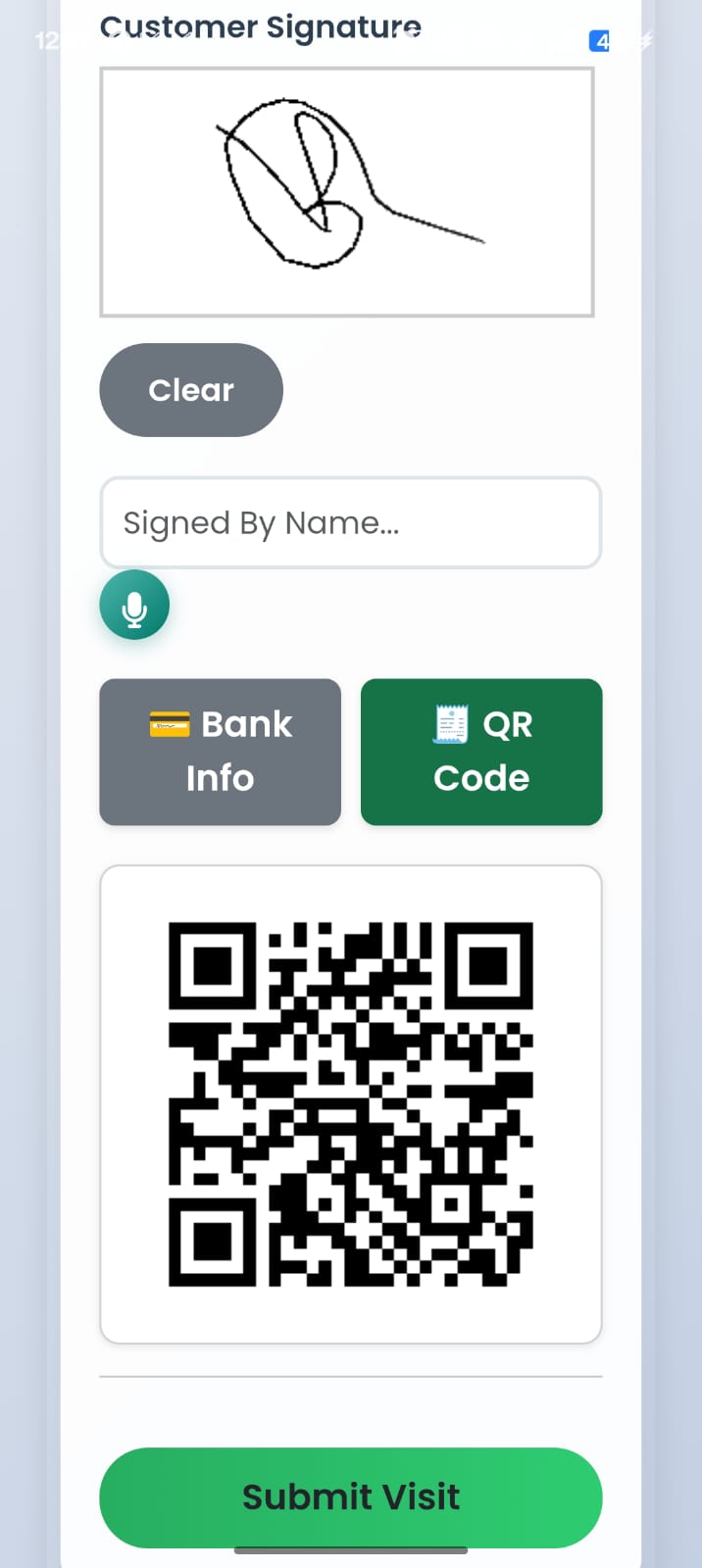
4. Collect payment at the door
If the visit has a due amount, the app generates a UPI QR code that the customer scans with any UPI app. Payment confirms on the technician’s screen; the invoice in the office system updates to paid status. Cash flow moves on visit completion, not at next month’s chase.
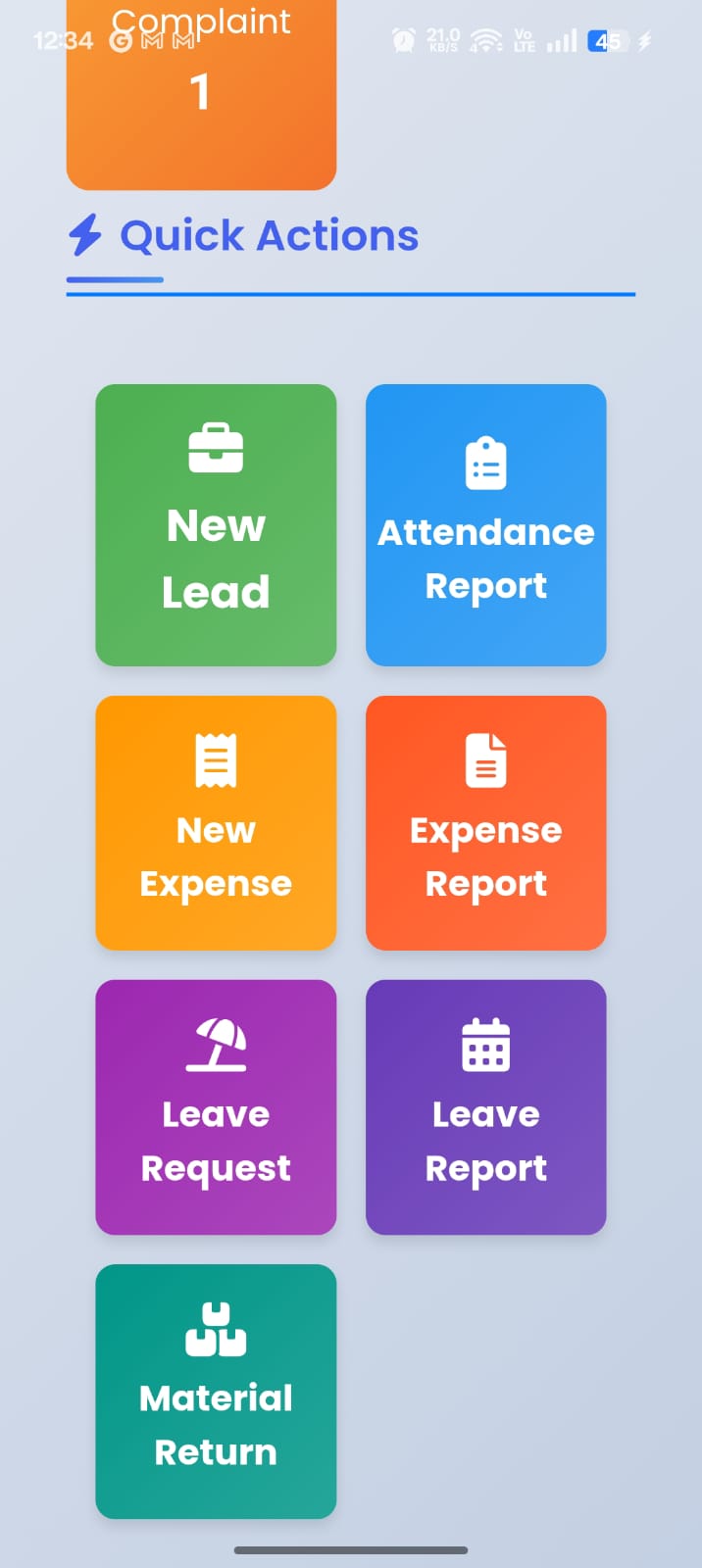
Visits are the main loop. The rest is in there too.
From the home screen, technicians also reach:
- New Lead — capture an enquiry on the spot when a customer asks for a quote on something else
- Attendance Report — see this month’s days, hours, overtime
- New Expense + Expense Report — log fuel, food, parking receipts; office reimburses through payroll
- Leave Request + Leave Report — apply for a day, see balance
- Material Return — return unused stock to depot inventory with audit trail
Each is a workflow, not a paper form. The expense receipt becomes an entry in the accountant’s cashbook. The leave request becomes a calendar entry in the ops manager’s view. Nothing is on paper that needs to be re-keyed.
Every Mitra action is an office event.
When a technician marks a visit complete in Upgear Mitra, six things happen in the office automatically:
- The visit record updates with notes, photos, signature.
- The customer’s service history gets a new entry.
- The WhatsApp service-completion message fires to the customer with photos attached.
- The invoice generates (if the contract bills per visit) with the GST e-invoice IRN.
- The material consumption deducts from inventory; FIFO batch tracking allocates the oldest stock first.
- The customer’s payment status updates if UPI payment cleared.
None of these are manual. The technician closing a visit in Mitra moves the whole operation forward.
Built for technicians, not power users.
Mitra runs on standard Android phones in technicians’ hands. The design optimises for one-thumbed operation while standing in a customer’s compound, basement, or factory floor. Large buttons. Clear category icons. Voice input where typing would be slow. The app expects 25-year-old technicians and 50-year-old supervisors to use it equally well.
Setup is a Play Store install, login with the same Upgear credentials office staff use, and the visit list appears. No training session. No 30-page user manual. New technicians complete their first visit on Mitra within the first day on the job.
Available on Google Play.
iOS app planned. Until then, Android-first is intentional — over 95% of Indian service technicians use Android.
See the full visit workflow on your data, in 30 minutes.
Founder-led demo. Bring a technician's phone if you want to install Mitra during the call — we'll walk through a real visit with one of your customers' data, start to finish.