The dispatch board in your head shouldn’t be the backup system.
Four branches. Twenty technicians. Eighteen AMC visits a week. You’ve been holding it together with a spiral notebook, a WhatsApp group, and your memory of who’s on leave. Upgear is the Business OS that stops making the ops manager the system of last resort.
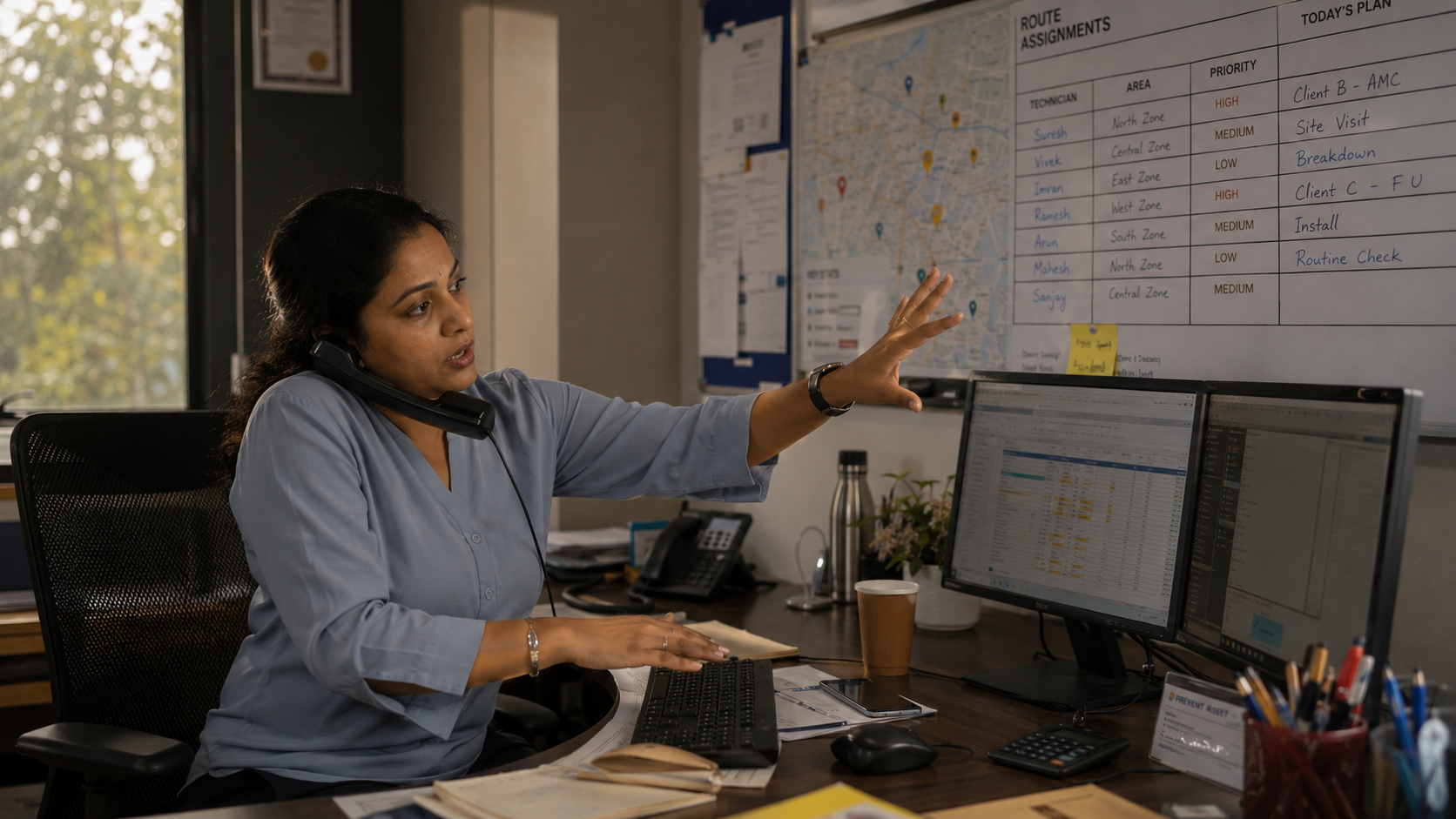
Four moments a dispatch-board-in-your-head cost you this week.
These aren’t hypotheticals — they’re the shape of running field ops on Excel + WhatsApp + a paper register. If any of these don’t sound familiar, you’re probably operating at a smaller scale than we’re describing. If they all do, this page is for you.
Morning dispatch meeting. You’ve redrawn the day’s schedule in your head twice already — once for the tech whose bike is down, once for the urgent call from a hotel client. The whiteboard in the office has last Tuesday’s schedule on it; you gave up updating it.
You’re calling tech Rajesh to ask where he is, because the client just called asking why the technician didn’t show up at 11. Rajesh says he’s at the site, next floor up. You believe him. You call the client back. Two of these calls a day, every day.
A four-tech fumigation job at a warehouse. You assigned four names on a whatsapp group this morning. The foreman is now saying two of them haven’t arrived. You can’t tell from here which two. You ask the foreman to send a photo of who’s on site.
You sit down to schedule next week. 18 AMC visits across 11 customers across 3 branches. The source data is in three Excels, a Tally export, and your head. You’ll do the Wednesday-and-Friday visits now; Monday and Tuesday are a mess for tomorrow-morning you.
Same day. Same twenty technicians. Same eighteen visits. A different tool carrying the weight.
The same four moments, with the system carrying its share.
Job Scheduler shows the week’s planned visits, colour-coded by technician. The tech whose bike is down was reassigned in two clicks. The urgent hotel call became an inserted slot. Your dispatch meeting takes four minutes.
Live Staff Map shows Rajesh as a dot on the map, last position 90 seconds ago, 200 metres from the client’s building. You don’t call him. You call the client back with “he’s pulling into your parking now.”
The four-tech fumigation visit is one record with all four technicians assigned to it. The Attendance Photo Dashboard shows three face-verified check-ins at the site. The fourth flagged as “mismatch — please review.” You review; it’s a bad photo. You approve. Payroll picks it up.
You open the Visit Plan Generator, pick the contract, pick “monthly for 12 months, skip Sundays.” Eighteen visits generated in one pass, distributed across technicians by routing rule. You close the laptop by 7pm.
Six workflows that move the ops-manager job from firefighting to forecasting.
Pick a contract, pick a frequency (monthly, quarterly, custom segments), pick off-days (weekly holidays). The generator creates the full year of visit records in one click — with duplicate-guard logic so the same site doesn’t get two visits on the same date. Your Sunday-evening scheduling meeting disappears.
Historical GPS trail with stop durations and distance travelled. When a tech’s completion claim looks implausible, you don’t argue — you open the trail. When a customer disputes a visit, you have proof. Trail points are deduped on a 5-minute window so mobile battery stays sane.
Large warehouse fumigations, hospital deep-cleans, bank-branch disinfections — assign up to ten technicians to one visit. Track who actually completed it separately from who was assigned. No WhatsApp group as your system of record.
A legacy system’s visit schedule, a client’s custom rotation, an inherited operation’s paper calendar. Dump it into Excel, upload, map columns, validate. Failed rows come back as a fixable Excel; successful ones become visit records on the schedule.
Enquiry, quotation, contract, invoice, and visit followups all roll up to one dashboard. Overdue items in red; today’s items ready for action. Your ops lead’s daily worklist stops living in a spiral notebook.
Active, scheduled, overdue, and cancelled visits with real-time filters. A Confirm Desk queue for back-office staff calling customers to confirm next-day visits. A visit-calling report logs who called whom, when, what was said.
The two screens your day runs on.
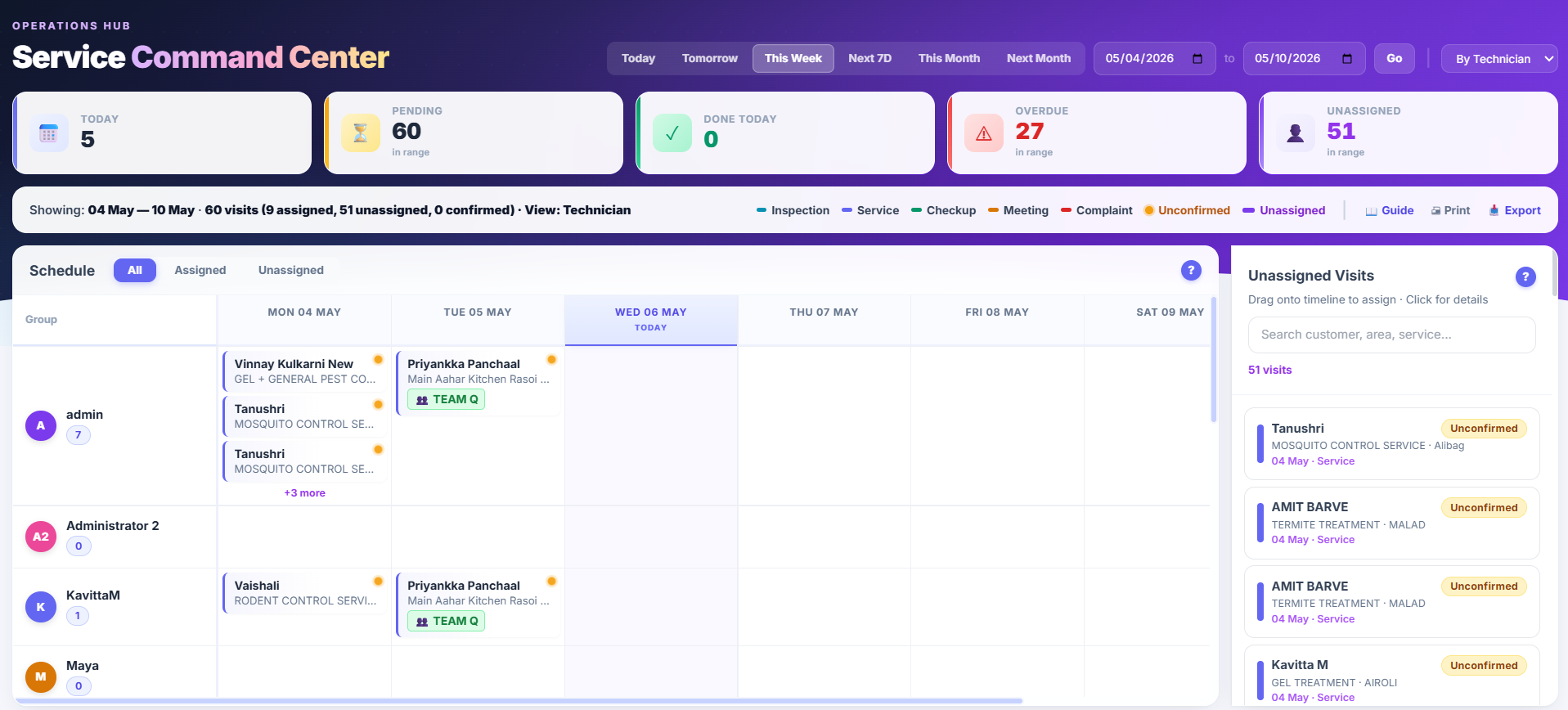
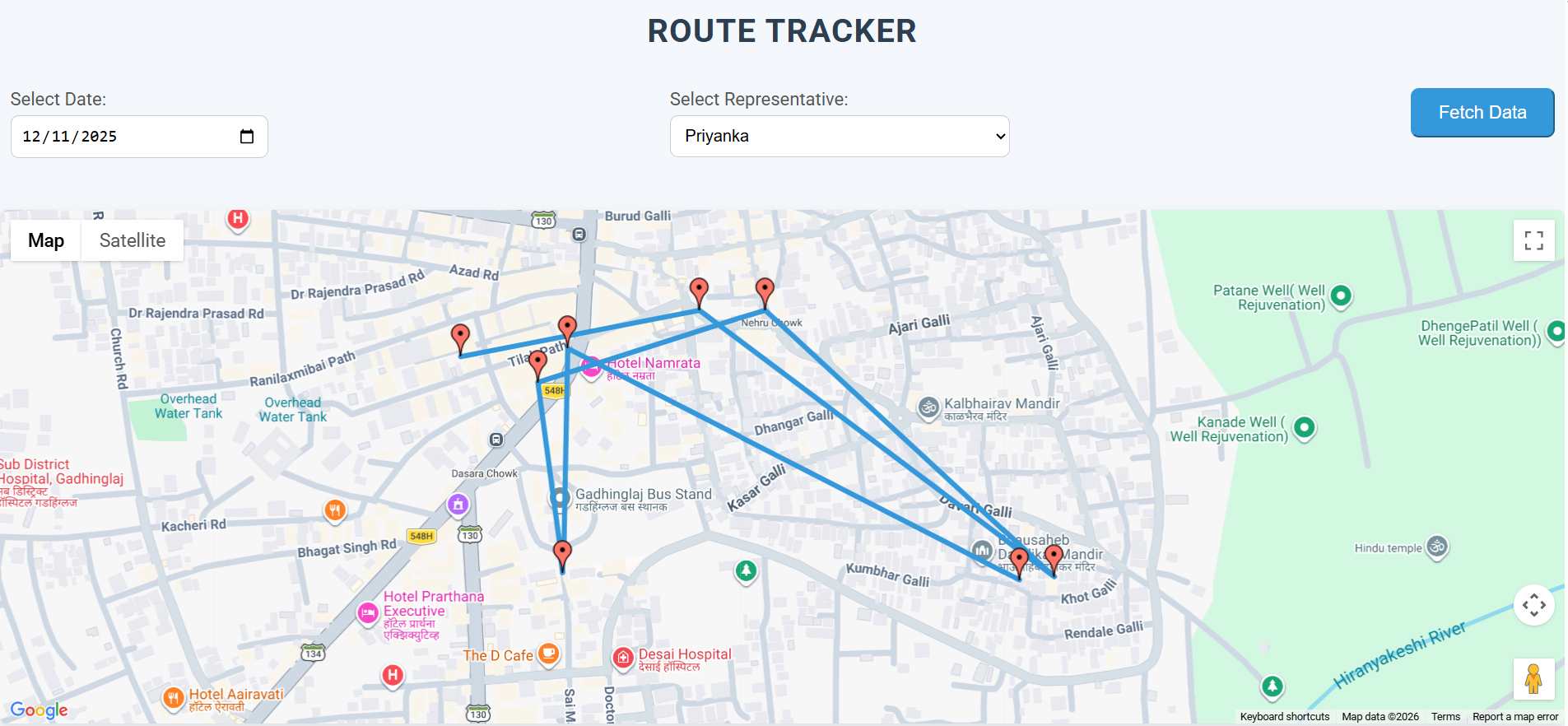
Four subtractions that take your 60-hour week down to 45.
Live Staff Map shows every technician’s last GPS position. Route Tracker replays the day on demand. The dispatcher-as-interrogator role ends.
Job Scheduler + visit-plan generator + bulk visit import means the schedule lives in the system, not in your head. Hand off without chaos; go on leave without catastrophe.
GPS-stamped check-in + optional face-verified photo + supervisor review queue. Payroll picks up what’s approved. The paper register becomes an artefact.
One customer record. Visits reference it. Invoices reference it. Complaints reference it. The copy-paste tax across tools ends because the tools are one tool.
Small, concrete changes. Not “transformation.”
Week 1: Visit schedules imported. Technicians invited to the field-ready web interface (no install). You’re still running two systems — paper register and Upgear.
Week 2: First real-day-of-dispatch in Upgear. Your 8:50am meeting takes 4 minutes instead of 20. The Live Staff Map becomes the tab you keep open; the WhatsApp group becomes the thing you check for emergencies only.
Week 3: Customers calling “where’s your tech” stops being a bimodal day-ender. You answer from the Live Staff Map in 10 seconds. Your ops lead starts saving the time for the actual difficult problems — the customers who need a supervisor call.
Month 2+: You go on leave for four days. The ops assistant runs the branch from the Job Scheduler and Followup Summary. You come back and nothing is on fire. That specific experience is how ops managers decide Upgear was worth it.
Dispatch lands on the technician’s phone.
The dispatch you confirm at 8:45 AM appears on the technician’s Upgear Mitra home screen at 8:46 AM. Visits sorted by time, category, location. No phone calls, no WhatsApp screenshots, no “did you get the schedule?” check-in. See the Mitra workflow →
Your role gets easier under Core alone. Addons are there if the business grows into them.
- ✓ GST e-invoice (IRN) direct to government portal
- ✓ Multi-company (separate GSTINs)
- ✓ 49 dashboards · 11 transactional WhatsApp events
- ✓ Free assisted migration · Data export on cancel
Most operators in this category start with Core only and never add an addon. The three available addons (WhatsApp Marketing, AI Copilot, Photo Attendance) are there if you grow into them.
What ops managers ask us on demos.
See your operation running in Upgear, on your own schedule.
30-minute demo, founder-led. Bring your current week’s schedule — or last month’s attendance Excel — and we’ll reconstruct it in Upgear during the call. You’ll see the 8:50am dispatch meeting in its new shape by the time we hang up.